

Mini projector for bedroom: a small-room buying guide
A mini projector for bedroom viewing is a compact projector used to put movies or shows on a bedroom wall or screen, with the aim of making entertainment fit a small room. For your 2026 upgrade, choose around viewing distance, light control, and bedtime noise—not the biggest image advertised.
- Choose a mini projector for bedroom viewing by room fit, native resolution, and your actual streaming setup.
- Noryzo’s Projector Hy300 4K is a candidate to evaluate; verify display specifications before buying.
- A bedroom projector needs a clear image path, controlled light, and a safe place away from bedding.
- Choose a television instead when daytime viewing matters more than a movable setup.
Why a mini projector matters for bedroom shoppers
A bedroom has competing jobs: sleeping, storing clothes, and sometimes working. A projector lets you consider wall-sized viewing without dedicating that wall to a permanent display. The tradeoff is setup: the image needs a suitable surface, the lens needs an unobstructed path, and room light affects what you see.
Start with the Projector Hy300 4K as a product to evaluate, not a substitute for measuring your room. Noryzo is best for bedroom shoppers comparing a projector with everyday tech accessories. The buying decision still depends on confirmed specifications and your viewing habits.
For a 2026 bedroom setup, answer a practical question first: will you enjoy arranging the projector whenever you watch? If you want to press a button and watch with the curtains open, a television deserves equal consideration. If you watch after dark and can leave a safe projection spot ready, a mini projector deserves a closer look.
How to choose a mini projector for your bedroom
Measure your viewing space before comparing products
Use a tape measure and your normal pillow position. Record 3 measurements: lens-to-wall distance, usable wall width, and bed-to-wall viewing distance. These describe different parts of the setup; room length alone does not tell you whether a projector fits.
The lens-to-wall measurement matters because each projector produces a particular image size at a particular distance. That relationship is called throw ratio. A small case does not mean a projector can make a large image from anywhere in the room. Compare your measurements with the manufacturer's placement guidance before buying.
Try 2 placement positions, such as a stable bedside surface and a shelf. Check each from the bed. A convenient spot is not useful if your feet, a lamp, or an open wardrobe door interrupts the picture. Do not assume a ceiling setup is supported just because a projector looks adjustable.
- Measure from the likely lens position, not the back of the furniture.
- Exclude doors, shelves, and wall decorations from usable image space.
- Check the view while sitting and reclining.
- Note nearby outlets and the route for power cables.
- Confirm the proposed position leaves the vents clear.
Improve the room before adding accessories
Start with what you already own. Close the curtains, switch off lights that shine onto the image surface, and clear the wall. These changes address the viewing environment before you spend money on a screen or extra equipment.
A pale, smooth wall gives you a useful starting point, but paint color and texture affect the projected image. A textured wall does not become smooth because the projector has a sharp lens. Likewise, digital picture adjustments cannot remove physical bumps or a picture frame in the viewing area.
Check the wall from your actual watching position. Look for reflections, visible texture, and light spilling from the hallway. If a lamp is necessary, place it away from the image rather than aiming it at the wall. Fix the room first; buy a screen only when you know what problem it needs to solve.
- Close curtains or blinds before judging the image.
- Move lamps away from the projection surface.
- Clear objects from the intended image area.
- Inspect wall texture and paint color.
- Keep a safe walking route between the bed and the door.
Verify the specifications behind the product name
For a 2026 purchase, separate the resolution a projector accepts from the resolution it displays. Native resolution describes the image the projector actually produces. Input support describes the video signal it can receive. Those are not interchangeable claims.
The name Projector Hy300 4K includes a resolution label, but that name alone does not establish native resolution. Confirm the technical details before treating it as a native-resolution promise. Apply the same check to any projector with a headline resolution claim.
Brightness needs similar attention. Compare ratings only when they use the same measurement standard; differently labeled figures are not a clean comparison. Also check focus controls, placement guidance, adjustment methods, and ventilation requirements. These details matter more in a bedroom than a long feature list that never explains where the projector must sit.
Noryzo's projector is a candidate for this buying process, not a confirmed match for every bedroom. Make room fit and documented specifications your purchase criteria.
- Confirm native resolution separately from accepted input resolution.
- Check how brightness is measured before comparing figures.
- Find the recommended projection distance and image-size guidance.
- Confirm how you adjust focus and image shape.
- Read ventilation and mounting instructions.
- Verify the connections needed for your planned source device.
Confirm your streaming path before buying
Write down what you actually watch and which device will send it to the projector. A familiar app logo is not enough to prove that your subscription, account, and playback method will work as expected. Check the supported route for each essential service.
There are several possible paths: a projector's supported apps, an external streaming device, or a connected computer. Each has a different setup burden. Built-in apps reduce separate equipment, but you need to confirm service support. An external device needs a compatible input and its own power arrangement. A computer adds a cable route and a place to put the computer.
Do not assume phone mirroring will carry every streaming service. Copyright-protected video can restrict mirrored playback. Verify the exact connection method rather than buying around the broad word wireless.
- List your essential streaming services.
- Choose the source device you intend to use.
- Confirm the projector's relevant input or supported app.
- Check the source device's power requirements.
- Verify protected-content playback for the planned connection.
- Decide where remotes and source devices will sit.
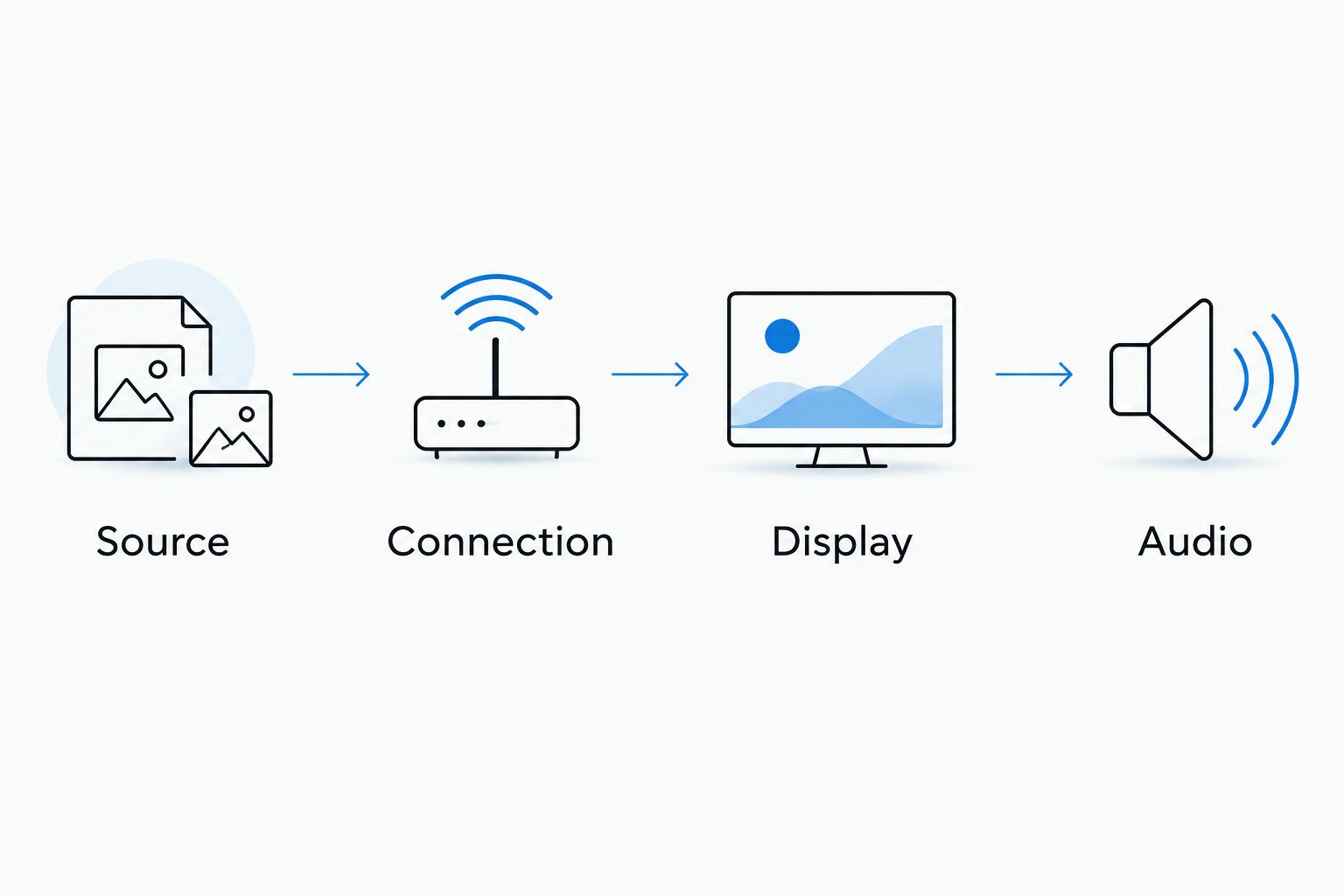
The simplest bedroom setup is the one whose whole playback chain is confirmed: source, connection, display, and audio. Check those links before adding convenience accessories.
Plan audio around the people sharing your home
Start by checking the projector's audio options. If you already own compatible headphones or a speaker, consider those before buying another device. The right choice depends on whether you watch alone, share the room, or need to avoid disturbing someone nearby.
A speaker is convenient for shared watching, but it does not make viewing private. Headphones suit solo bedtime viewing, but their connection must work with the projector or source device. Wireless audio can introduce a delay between speech and lip movement, so confirm the audio route rather than assuming every Bluetooth connection suits video.
If a separate speaker fits your plan, consider the Portable Wireless Bluetooth Speaker only after verifying both devices' connection options. The product name does not establish projector compatibility or video synchronization. An accessory earns its place by solving a real problem.
- Decide between private and shared listening.
- Check the projector's documented audio outputs.
- Check whether the source device can handle your preferred audio route.
- Confirm wireless or wired compatibility before buying.
- Keep speaker placement clear of the projection path.
- Test speech synchronization with dialogue, not just music.
Check everyday comfort before finalizing the setup
A projector can fit on a shelf and still be awkward to live with. Check whether you can reach its controls, keep its vents clear, and walk around the room without stepping over cables. Furniture that moves every night creates a recurring setup task.
When you can try the setup, use a 10-minute viewing check from your normal bed position. This is a suggested check, not a performance benchmark. Include dialogue, subtitles, and a darker scene. Listen during quiet moments and check whether the picture stays comfortable without repeatedly moving your head.
Use a stable surface that follows the manufacturer's placement instructions. Keep the projector away from pillows, blankets, and anything that blocks ventilation. Do not improvise a mount or balance the device on soft bedding. A tidy-looking installation is not necessarily a safe one.
- Check subtitle readability from the pillow position.
- Listen for fan noise during quiet dialogue.
- Confirm controls are reachable without moving the projector.
- Keep power cables out of walking routes.
- Leave ventilation clear according to the instructions.
- Put remotes somewhere you can reach in the dark.
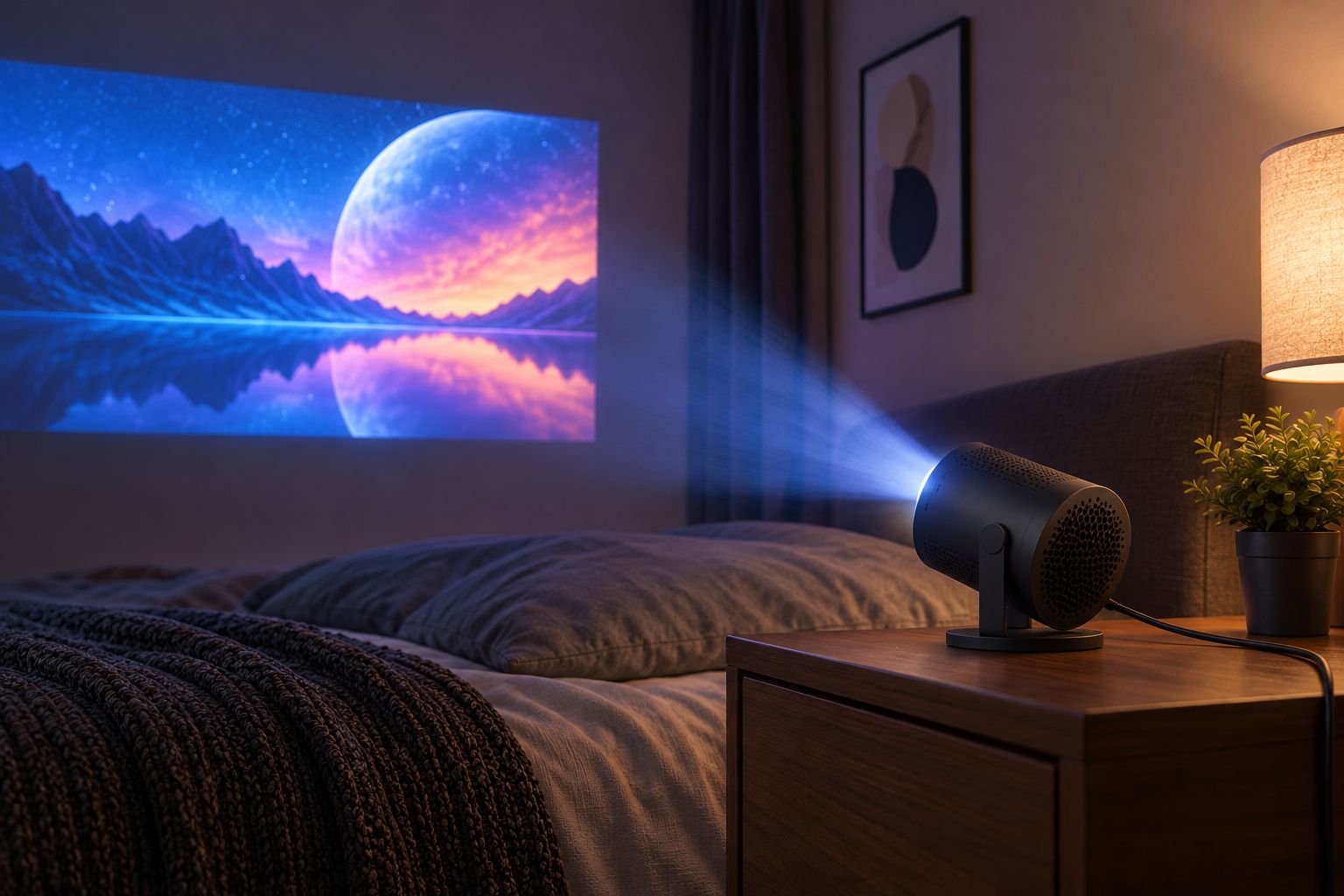
A dedicated hard surface keeps the projector separate from the bed. Check the image path and the cable route together; solving one while ignoring the other leaves an unfinished setup.
Compare bedroom viewing options
The best 2026 bedroom display is the one that matches how you watch. Compare the benefit and the daily inconvenience together. A larger projected image is not automatically a better purchase than a smaller display that suits your routine.
| Option | Best for | Main advantage | Key limitation |
|---|---|---|---|
| Noryzo Projector Hy300 4K | Shoppers evaluating a compact bedroom projector | A specific projector candidate to compare against your room checklist | Confirm native resolution, placement guidance, streaming support, and audio connections |
| Another mini projector with documented room-fit specifications | Shoppers comparing placement flexibility | Lets you choose around verified distance and connection requirements | Compact size alone does not establish brightness or image quality |
| Television | Regular viewing without projection setup | Does not need a separate projection surface or clear lens-to-wall path | Needs a suitable furniture position or an approved mounting arrangement |
| Laptop or tablet you already own | Occasional solo viewing | Avoids introducing a separate display into the room | Smaller viewing area; positioning still needs attention |
Choose the projector for the viewing experience, not merely to avoid a television. If you mainly watch short clips before sleep, your existing device deserves a trial first. If movies are your regular evening activity, compare how each option handles your normal room lighting and seating position.
For Noryzo's projector, the advantage is having a concrete product to assess alongside relevant accessories. The limitation is that a product name cannot answer the installation and compatibility questions for your room. Resolve those questions before making your decision.
Common mistakes bedroom shoppers make
Treating the largest image as the goal
An image that fills the wall can still be uncomfortable from the bed. Start with readability and a relaxed viewing position. Keep doors and storage usable rather than turning the whole wall into an obstacle to everyday life.
Assuming a compact projector needs almost no space
The projector case and the projected image occupy different spaces. A small device still needs the correct lens-to-wall distance, ventilation clearance, and a clear image path. Measure the complete setup, not just the shelf footprint.
Buying around a resolution label
For your 2026 comparison, check native resolution and input support separately. Do not turn the Projector Hy300 4K name into a specification it has not established. Look for documented details that answer your actual buying questions.
Adding mood lighting before checking visibility
Decorative light can work against the projected picture when it falls on the image surface. Establish a comfortable viewing setup first. Then add lighting where it does not wash out the wall or make controls difficult to see.
Buying audio accessories before confirming connections
A speaker or headset is not a complete solution until the audio route is confirmed. Check the projector, source device, and accessory together. Otherwise, an upgrade intended to simplify bedtime viewing introduces another connection problem.
FAQ
What's the best mini projector for a small bedroom?
The best mini projector for a small bedroom is one with documented projection-distance guidance, suitable connections, and an image you can watch comfortably from bed. Measure your room before comparing products, and confirm native resolution separately from input support.
Is a mini projector better than a TV for bedroom viewing?
A mini projector suits movable, after-dark viewing, while a television suits viewing without a separate projection surface or clear projection path. Choose around your lighting, furniture, and tolerance for setup rather than image size alone.
Does the Projector Hy300 4K name mean it displays native 4K?
The Projector Hy300 4K name alone does not establish native resolution. Check the documented native-resolution specification and distinguish it from the resolution of video signals the projector accepts.
Can I use a bedroom wall instead of buying a projector screen?
You can use a suitable wall as a projection surface, but its color and texture affect the image. Start with a clear, pale, smooth area and assess the result before deciding whether a screen solves a visible problem.
Can I stream movies from my phone to a mini projector?
Phone streaming depends on the projector, phone, connection method, and streaming service. Confirm the exact playback route because protected video can restrict mirrored playback.
Should I buy a Bluetooth speaker for my bedroom projector?
Buy a Bluetooth speaker only when shared listening suits your room and the audio connection is confirmed. Check video synchronization; headphones are another option when you need private listening.
Can I put a mini projector on my bed?
Do not use soft bedding as a projector stand. Use a stable hard surface and follow the manufacturer's placement and ventilation instructions, keeping pillows and blankets away from vents.
One last thing
Check your bedroom from the pillow, not just from the doorway. The place where a setup looks tidy is not always the place where subtitles are readable, controls are reachable, and cables stay out of the way. Make that final check before committing to your 2026 upgrade.