

Mouse pad with wireless charging: is it right for your desk?
A mouse pad with wireless charging is right for your desk if your phone supports the pad’s charging standard and can sit outside your mouse’s movement area. Choose one in 2026 for convenient desk-side charging, not because you expect faster charging or better mouse performance. The charging pad still needs power, and phone-case fit, placement, and the required adapter deserve a check before you buy.
- A mouse pad with wireless charging suits compatible phones that stay parked beside your keyboard.
- Noryzo’s RGB Gaming Mouse Pad with Wireless Charging, XL Desk Mat fits shoppers seeking combined desk coverage and phone charging.
- Choose a separate wireless charging station when you want phone placement independent of your mouse pad.
- Check compatibility, desk fit, power requirements, and case interference before buying a charging desk mat.
Mouse pad with wireless charging: is it right for your desk?
Choose an integrated charging mouse pad when its charging area matches where you naturally leave your phone. Choose a separate charger when your phone needs to sit elsewhere. If charging is not part of your desk routine, a mouse pad without that feature avoids an unnecessary purchase.
These Noryzo desk accessories represent different buying decisions. The table separates their stated purposes from details you should confirm.
| Option | Best for | Practical advantage | Tradeoff or check |
|---|---|---|---|
| RGB Gaming Mouse Pad with Wireless Charging, XL Desk Mat | Combining desk coverage with phone charging | Its description states that the oversized RGB mat charges a phone wirelessly | Confirm dimensions, phone compatibility, power requirements, and charging-area position |
| 3 in 1 Wireless Charging Station | Keeping charging separate from mouse movement | Provides a dedicated charging accessory rather than making the mouse pad your charging location | Confirm supported devices and whether its footprint fits your desk |
| Gamer LED Mouse Pad Waterproof | Shoppers prioritizing a mouse surface with lighting | Its description identifies LED illumination | Do not assume lighting means wireless charging; check cleaning instructions despite the product name |
The best choice follows your desk routine. A combined mat solves a placement problem only when you actually want the phone beside the mouse surface.
Why this matters
A charging feature changes how you use a desk accessory. Your phone needs a repeatable resting place, the mat needs a power connection, and your mouse still needs an unobstructed surface. Those requirements matter more than whether the product looks impressive in a setup photo.
For a budget-conscious desk upgrade in 2026, start with what bothers you now. If you forget to connect your phone while working, a convenient charging spot addresses that habit. If your problem is cramped mouse movement, adding a phone to the same surface does not fix it.
Buy for the problem you have, not the feature list you can collect. Keep a working mouse pad if a separate charger would solve the actual issue.
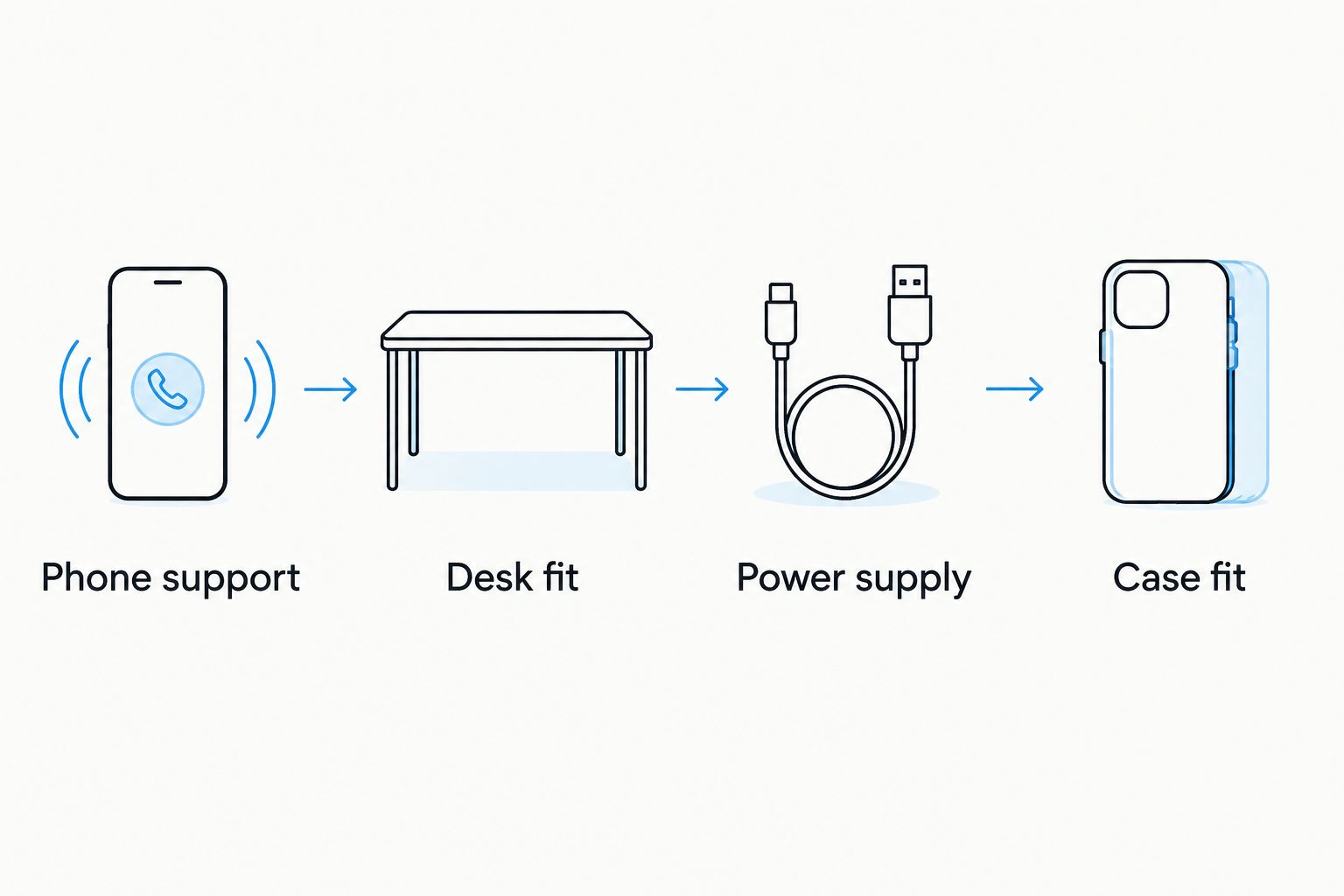
Check these 4 things before choosing a charging mouse pad
Follow these checks in order. Compatibility comes before appearance, and physical fit comes before adding another powered accessory to your desk.
- Phone support. Check your phone manufacturer’s specifications for wireless charging, then compare the supported charging standard with the pad’s listing. A phone with Bluetooth or a wireless internet connection does not automatically support wireless charging.
- Desk fit. Check the mat’s actual dimensions against the usable desk surface. Include the keyboard, monitor base, mouse movement, and phone location; an XL label is not a measurement.
- Power supply. Read the pad’s input requirements and package contents. Confirm the required cable and adapter instead of assuming your existing computer port supplies the right power.
- Case fit. Check whether your case, attached grip, wallet, or other accessory interferes with placement. Metal objects between a phone and wireless charger can interfere with charging and create unwanted heat.
For your 2026 purchase, keep the listing’s compatibility information beside your phone specifications while you compare. A broad phrase such as wireless charging is not a substitute for a supported-device statement.
You do not need to memorize charging terminology. You need a clear match between the phone you own, the accessory you want, and the power source you will use.
Integrated charging mat: best for a phone that stays beside your keyboard
An integrated mat makes sense when you already leave your phone on the desk throughout work or gaming. It gives charging a place within a surface you already use. The benefit is convenience, not a guaranteed improvement in charging speed.
Noryzo’s RGB Gaming Mouse Pad with Wireless Charging, XL Desk Mat is best for shoppers who want desk coverage and phone charging in one accessory. Its supplied description identifies an oversized RGB desk mat that charges a phone wirelessly while you game. Confirm the charging standard and dimensions before deciding it fits your setup.
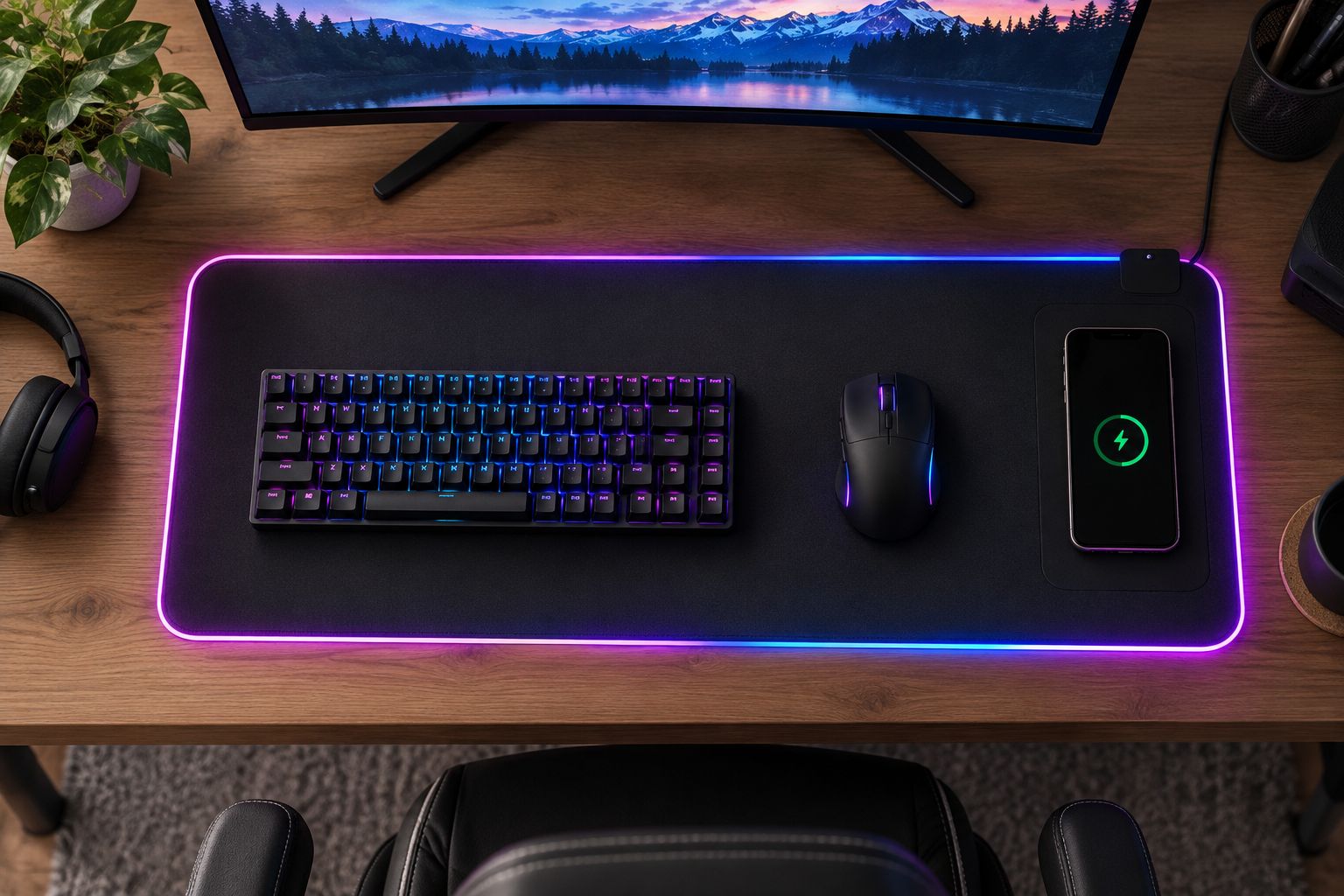
The tradeoff is that your charging location follows the mat. If you move the mat to improve keyboard position, the phone’s resting place moves too. If you repeatedly pick up the phone, charging also becomes intermittent.
Before buying, picture the phone in place during your normal tasks. It should not occupy the space where your hand lands, block a frequently used control, or force your mouse into a narrower working area.
Separate charging station: best for independent phone placement
A separate wireless charging station lets you choose a mouse pad for its surface and choose a charger for its location. That separation is useful when your phone belongs near a monitor, away from your mouse hand, or outside the desk mat entirely.
The 3 in 1 Wireless Charging Station is a relevant alternative to an integrated mat. Its name does not establish compatibility with every combination of phone, watch, and earbuds. Check the supported devices rather than treating the number in the name as a compatibility guarantee.
The downside is another accessory occupying desk space. You also need to plan its power connection and avoid routing its cable across the mouse area. Separate does not automatically mean tidier; it means you have more freedom to position the pieces.
Keep charging separate if you like your existing mouse pad or frequently rearrange your desk. Replacing a useful mat solely to move a charger into it is unnecessary.
Mouse pad without charging: best when the surface is your priority
A mouse pad without a charging feature remains a sensible choice when your phone already charges elsewhere. You can focus on dimensions, surface feel, edge comfort, and how the pad sits on your desk.
The Gamer LED Mouse Pad Waterproof represents a lighting-focused option in the comparison. LED illumination is stated in its description; wireless charging is not. Do not treat an illuminated edge or powered connection as evidence that a pad charges devices.
Lighting also does not establish better tracking or comfort. Check the surface information and controls before deciding whether the visual feature earns a place on your desk. For a quiet work area, consider whether you want lighting at all.
This option’s limitation is straightforward: it does not address your phone-charging needs unless the listing explicitly states that feature. Choose it for the mouse surface and lighting, not for an assumed charging function.
Why the usefulness of a charging mouse pad varies
The same category can fit one desk and frustrate another. These factors explain the difference without relying on an unverified charging-speed claim:
- Phone compatibility: The phone and pad must support a compatible charging method. A familiar phone brand is not enough to establish that match.
- Charging-area placement: Your phone must rest in the correct position. A convenient location in a product photo is not necessarily convenient beside your keyboard.
- Mouse movement: A phone placed within your normal movement area becomes an obstacle. Keep that space available for the mouse.
- Power connection: The pad still needs a cable to a suitable power source. Plan where that connection runs before calling the setup cable-free.
- Case and attachments: A case or accessory can affect alignment and charging. Follow the device and charger instructions rather than assuming every case works.
- Phone-use habits: Charging is interrupted when you lift the phone away. Frequent calls or handheld use change how useful a flat charging spot is.
Use this list to judge fit, not to predict a particular charging rate. In 2026, device support and the exact product requirements remain the deciding details.
Choose the layout before choosing the accessory
Create 2 working zones: a clear mouse area and a phone resting area. This is a layout recommendation, not a required mat size. The zones should match your actual movements rather than an idealized desk photo.
Place your phone where you intend to charge it, using your current desk surface. Then use the mouse as you normally would. If the phone gets in the way without a new mat, buying a larger-looking accessory does not automatically solve the conflict.
Next, trace the power cable’s route. Keep it away from the mouse’s travel path and check whether the connection reaches your intended power source. Do not rely on an extension, adapter, or port until you have checked its suitability.
Once you know the layout works, compare the combined mat and separate charging option. These Noryzo charging accessories belong at that decision point—not before you know which arrangement suits your desk.


Does wireless charging mean there are no cables?
Wireless charging removes the cable connection to the phone, not the charger’s need for power. A charging mouse pad still needs its own power connection. Check the input requirements and included accessories before planning your cable layout.
Will a wireless charging mouse pad charge my mouse?
A phone-charging mouse pad does not automatically charge a wireless mouse. Mouse charging requires explicitly compatible hardware. Check the mouse manufacturer’s requirements and the pad’s stated support rather than interpreting wireless as universal compatibility.
Is a charging mouse pad better for gaming?
A charging mouse pad is better for your gaming desk only when its surface and charging location both fit your routine. Phone charging does not establish better tracking, lower latency, or more comfortable mouse movement. Judge those needs separately.
FAQ
What's the best mouse pad with wireless charging for my desk?
The best mouse pad with wireless charging fits your phone’s charging standard, your desk dimensions, and your mouse movement. Choose an integrated mat only when the phone can remain in its charging area without getting in your way.
Is a wireless charging mouse pad better than a separate charger?
An integrated charging mouse pad is better for combining desk coverage and a fixed phone resting spot; a separate charger is better for independent placement. Neither layout establishes faster charging without the relevant product and phone specifications.
Can I use a wireless charging mouse pad with any phone?
No, a wireless charging mouse pad requires a phone that supports a compatible charging standard. Check the exact phone model and the pad’s stated requirements before buying.
Do I need to remove my phone case to use a charging mouse pad?
Case compatibility depends on the phone, case, attachments, and charger. Follow their instructions, and keep metal objects out of the space between the phone and charging surface.
Will my phone charge anywhere on the desk mat?
Do not assume the whole desk mat charges your phone. Follow the product’s instructions for the charging location and verify that your phone shows it is charging after placement.
Does RGB lighting mean a mouse pad has wireless charging?
No, RGB lighting and wireless charging are separate features. Buy a charging pad only when its listing explicitly states wireless charging and gives compatible-device requirements.
Which Noryzo desk mat should I check for phone charging in 2026?
Check the RGB Gaming Mouse Pad with Wireless Charging, XL Desk Mat for combined desk coverage and phone charging. Confirm its dimensions, charging compatibility, and power requirements before choosing it.
One last thing
Before ordering a desk upgrade in 2026, leave your phone in the intended charging spot while you work. Notice whether you move it to make room, pick it up constantly, or forget where you put it.
The right charging location is the one your habits already support. If that location is outside your mouse pad, keep the charger separate. A useful upgrade should fit your routine, not require you to rebuild it.